




Firefox has been criticized by users for not fitting well in Fedora Workstation. Although it improved with the new interface called Australis, it still doesn’t feel as native as GNOME Web (Epiphany). It’s not likely it will close the gap any time soon for two reasons:
- Mozilla wants to keep the same (or at least as similar as possible) interface on all desktop platforms.
- Firefox is not just for GNOME users in Fedora, and needs to keep at least some level of neutrality towards desktop environments. Fortunately, there is a powerful system of add-ons and themes, so you can make it look native with a few tweaks.
This is our starting point — the Firefox default appearance in Fedora Workstation:
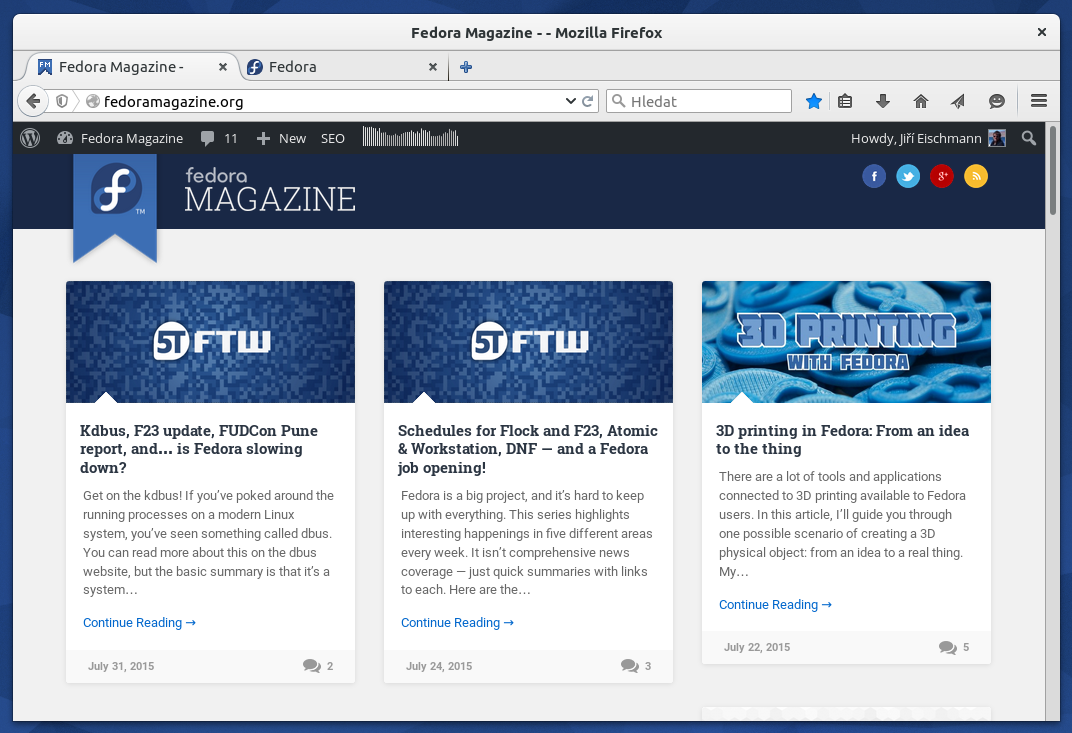
Default look of Firefox in Fedora Workstation 22
Get rid of the title bar
As I mentioned earlier, integration of Firefox improved a lot with Australis. Switching to GTK3 in Fedora 22 helped, too. But some users still criticize the title bar, which feels redundant in today’s GNOME, especially when maximized. Fortunately, there is an easy fix for this: install HTitle addon. The browser window will still have the title bar when unmaximized, but it disappears when maximized, as in this picture:
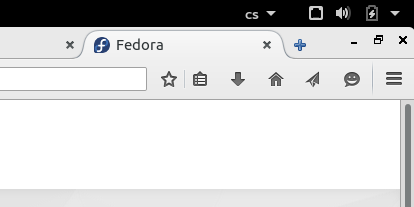
Firefox after the HTitle addon was installed.
Make it look like a GNOME app
The HTitle addon gets rid of the title bar, but as you can see, it still doesn’t feel native. For example, the minimize, maximize, and close buttons are not particularly beautiful. Now comes the time for the GNOME 3 theme, which tries to imitate the Adwaita theme for GTK. It looks much more like a GNOME app with this theme:
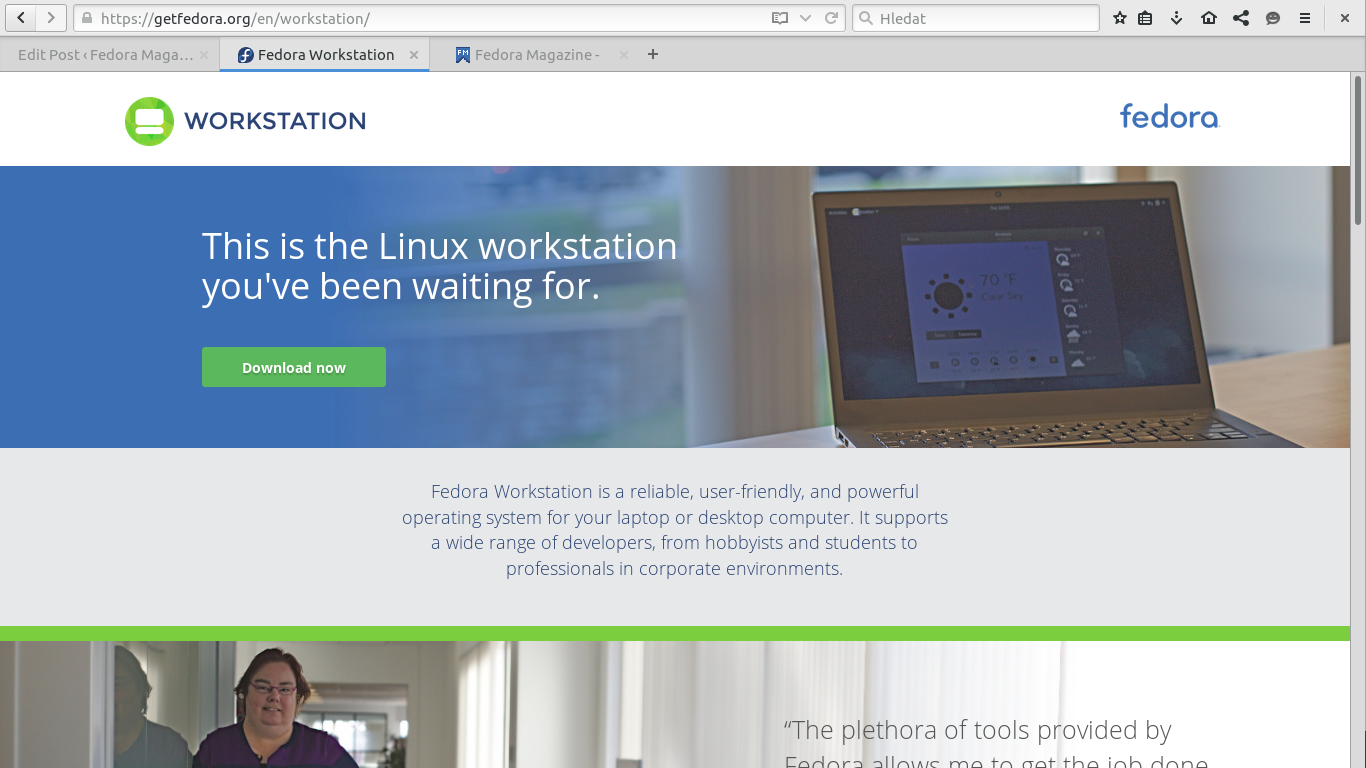
Firefox with the GNOME 3 theme
But we’re not done. As you can see, the buttons don’t look the same as in other GNOME apps. Now, you might want to install the GNOME Theme Tweak addon and customize the theme a bit. This add-on doesn’t require restarting, unlike the others. Once it’s installed, go to the Firefox menu, click ‘Customize’ at the bottom of the menu, and then click ‘GNOME Tweaks’ link in the lower left corner. You’ll see the following panel of settings:
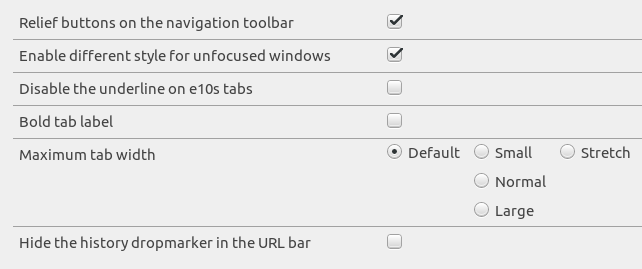
GNOME Tweaks
The “Relief buttons on the navigation toolbar” option makes the Firefox buttons look just like in other GNOME apps. The “Different style for unfocused windows’ setting uses an alternative “lighter” theme when switching to another window, to emphasize that the window no longer has the focus. This behavior is more like other GNOME apps.
Other GNOME apps such as Web have bold tab labels, which you can enable in Firefox, too. I’m not personally very fond of this, so I keep it disabled, but it’s really up to your taste. GNOME apps also stretch tabs to the full width, no matter how many you’ve opened. Firefox doesn’t do that by default, but you can enable it here.
Get native notifications
The last part of our tweaking are notifications. Firefox is using its own system of notifications. But if you install the GNotifier addon, it will use libnotify and system notifications, adding another level of integration.
Wrap up
Firefox should now look and behave much more like a GNOME app. Just compare GNOME Web (Epiphany) and the tweaked Firefox on the pictures below. While Firefox still has a more complex interface, keep in mind Firefox is a far more powerful browser than just Web. It’s possible to use even more flexible customization to remove most of the complexity, if you don’t want to be exposed to it all the time.
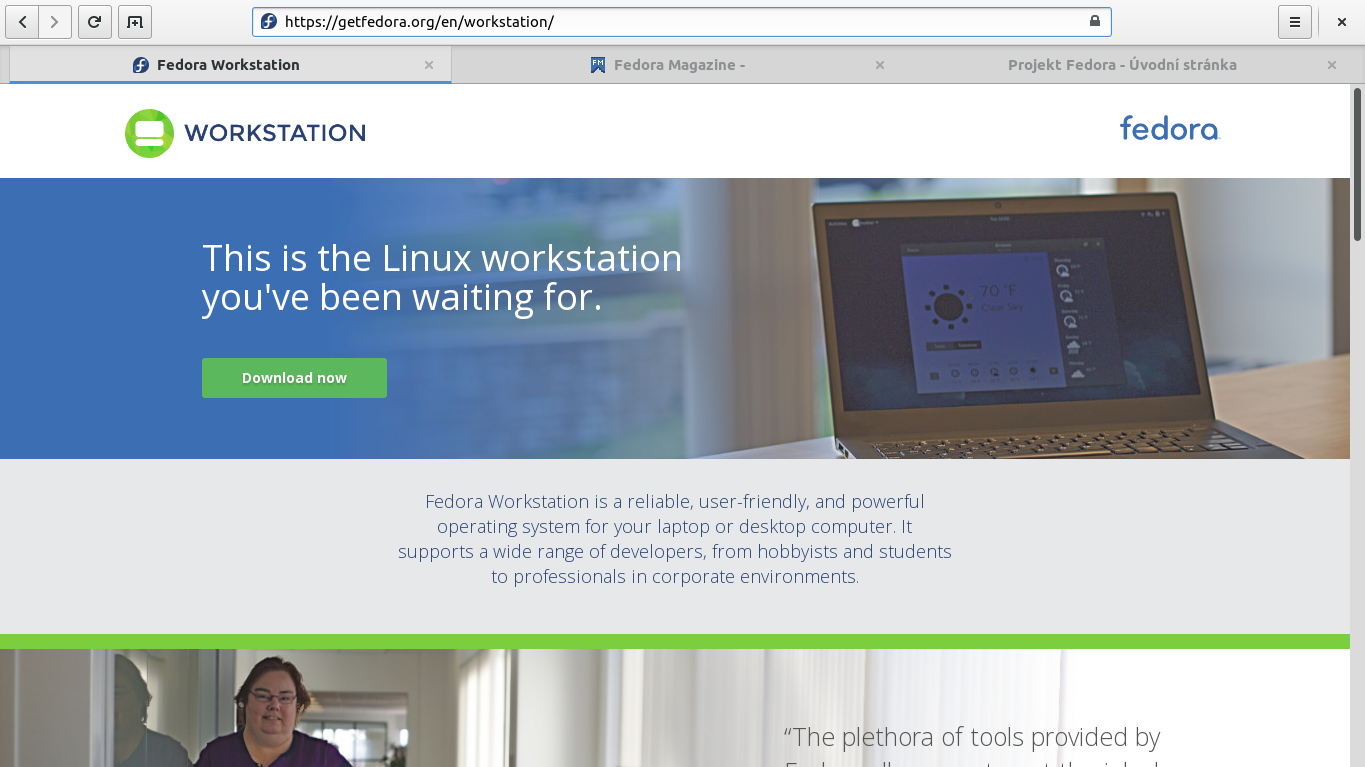
GNOME Web (Epiphany)
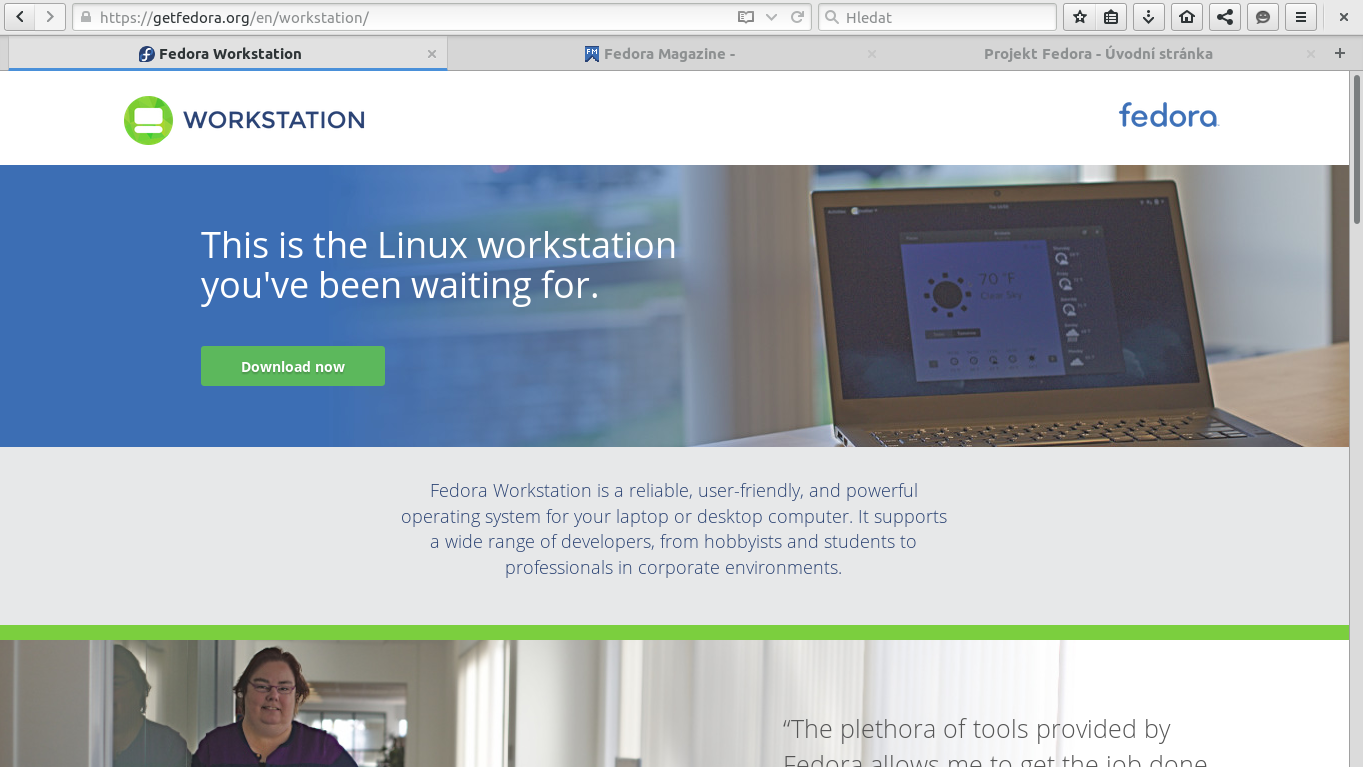
Tweaked Firefox
What extensions do you use to make Firefox more integrated with your desktop?


ONM
You can also improve your integration a bit if you are using a dark GNOME theme. With the GNOME theme and tweak extention, go to about:config, find
extensions.gnome-theme-tweak.dark-variant
and change the value to 1.
This will make it match the Adwaita dark theme. I’m using the great Adwaita Extra Dark, and this almost makes it fit.
Grayson Peddie
After enabling the dark variant, how do I get rid of the gradient? It’s the one that fades from dark to light and back to dark in the header bar.
Grayson Peddie
Oh, nevermind. I have used Headerbar style for GNOME 3.14-. Disabling GNOME 3.14- version and installing the 3.16+ user style fixed that.
Steven Bakker
Unfortunately, “extensions.gnome-theme-tweak.dark-variant” seems to be missing from the tweak extension 42.1 in combination with FF 43. I currently have stuff like checkboxes or text input fields being invisible in Firefox sometimes.
Osqui
If these Firefox addons were added by default to Fedora’s Firefox installation, it would be fantastic, don’t you think so?
Paul W. Frields
@Osqui: We’re always looking for ways to better integrate software into Fedora. One reason for not doing these automatically in Fedora is concern about respecting Mozilla trademarks, which place some requirements on how we ship Firefox.
Isaque Galdino
Why don’t you just make it easier to install then?
Stuff like PostInstallF and Fedy are handy and time saver.
It would be nice if we had that integrated in the GNOME Welcome, perhaps like a Fedora Extension to that on.
Thanks.
Adut23
Why not ship with IceCat instead then?
fireUser
definitely! Hope to see that in a soon update of firefox!
Ivan Augusto
I’m using Htitle from the Fedora 20, I have used the GNotifier and Gnome 3, but never all at the same time .. it’s amazing, thank you!
Wilf
I have used HTitle previously – it works great but things get weird with multiple sessions of Firefox.
By the way their are Gnome shell extensions to do the remove title bar thing, namely Pixel Saver and my own ‘fork’ Maximus Two (which doesn’t do the buttons Pixel Saver does so it easier to use extensions like Windows Buttons or leave it blank – it should hopefully soon have features like selecting which windows to ‘maximise’ etc).
Joseph
Maximus Two is nice (thank you!), but it have been incompatible with the current version of Gnome for a while now.
Wilf
Yes sorry I updated maximus 2 on github (the releases page is easiest for <3.16) but not on the Gnome extensions site (I’ll upload whenever I have time, hopefully soon – the extension page will still try and install it on uncompatible versions even if the page is visited, with no obvious result…). I also plan to (finish) work on a update for blacklisting applications, half windows etc.
Joseph
Thank you for your work again, this extension is a great convenience.
Major Hayden
Great post! This really improves the look of Firefox in GNOME 3.
Denis Savenko
Good article! Please write more 🙂 I feel empty when don’t see news about Fedore for some weeks… ^_^
Matěj Cepl
I really like HTitle addons, it really helps. Not so sure about the Adwaita theme. Am I completely crazy, but it seems to me that even the RHEL Firefox uses the Gnome notifications.
Anyway, thank you very much.
Fabian
Hey Jiri,
thanks for your article! I tried to install your proposed addons right away. However, the GNOME Theme Tweak Addon seems to be not compatible with the most recent version of Firefox. Besides, i would be nice if you could modify the links to the Mozilla addons page so that they redirect to the English version of the page.
Cheers!
Bayu Sanjaya
How about scrollbars?
Ingin
Unfortunately the GNOME3 theme does not appear to support GNOME’s dark theme, and GNOME Theam Tweak is not available for Firefox 39.0.
Ardian
What about fonts ?
I can’t seem to fix the fonts in Firefox, they look very normal (good) in chrome, they look good in Ubuntu too. any suggestions ?
Thank you.
Victor Silva
Thanks!
Look so much better now LOL
Mark
Looks like the GNOME Tweak addon was updated yesterday and only works with a development build of Firefox.
Isaque Galdino
… and GNOME Theme Tweak is not compatible with FF 39 🙁
Standa Laznicka
You can use the 38.1.1 version from the version history at the bottom of the page.
gsoundsgood
The GNOME Theme Tweak addon is “Not available for Firefox 39.0”. The “install anyway” option does not work. I assume there is a workaround, but wouldn’t it be nice to post it here (or better, clarify this in the blog post itself)?
Jiří Eischmann
When the article was written, the addon could be installed. As someone mentioned in one of earlier comments, they updated the addon, you can still choose to install an earlier version which is compatible with your version of Firefox.
Bobo_PK
Awesome. Thanks for the post. I was looking for a fast solution after installing Fedora 22 and this is exactly what I needed.
Andre Gompel
Gentlemen:
I like Firefox, because it works !
I really do not mind its look to not be GNOME like, etc…
I am more concerned about everything working well.
For Now, Netflix works on Windows Firefox 39, but NOT on Linux Fedora 64.
Also are still situations when FF freezes, usually when too many tabs are open, which may lead to think that memory management may need some work. (Chrome does not show this problem).
So may I suggest to not get over carried away with look, (it is important indeed), but on how it works ?
By the way : I am wondering why do not the FF team use Qt5 which is very good (may be the best multi-platforms GUI framework today), rather than GTK+. Perhaps just the way it was done a while ago ?
Andre
Jiří Eischmann
Netflix doesn’t work in Firefox in Fedora because Mozilla doesn’t support the proprietary DRM for HTML5 in Linux versions (yet). Fedora can’t do anything about it.
Vlad
I thought it was because Netflix uses Microsoft Silverlight — a product that is closed source and Microsoft hasn’t made it available to linux… and the open source implementation Moonlight is good, but netflix still doesn’t seem to run with it.
Bill Chatfield
Thanks so much for sharing this info. Several people have suggested improvements like making it default. That would be nice but I understand the problems with doing that. Maybe a single rpm that would apply all these changes would be a good compromise?
BanditHijo
i always use for Firefox Theme and TT DeepDark for Thunderbird theme.
Luya Tshimbalanga
Omnibar extension merges URI and search engine bars in one.
Matěj Cepl
Or switch your default search provider to DuckDuckGo (you want to do it anyway!), remove the search bar as whole and you can then use any of thousands of bangs https://duckduckgo.com/bang .
Hari
You forgot to mention the tweak using stylish. Using this https://userstyles.org/styles/96733/headerbar-style-for-gnome-3-16 user style firefox is almost exaclty same as ephiphany. It will give to rounded corners, the size of headerbar will match with the gnome header bar etc
Mozinet
You should create a addons.mozilla.org collection for this add-ons.
Vlad
This was a fun set of addons 🙂
I found, however, that it was hard to move or change the size of the window because there was very little space to grab it. choosing either Htitle or Gnome Theme allows to still have some grabbing space.. 🙂
Niklas Doose
Third try to make this commenz, perhaps I am to dumb for HTML tags. Anyway, the Stylish addon with this userscript makes Firefox look even more like a GNOME app: https://userstyles.org/styles/91417/headerbar-style-for-gnome-3-14
Tim
Will GNOME’s web browser eventually remove firefox as a default installed application on Fedora Workstation? If so then investing time in possibly packaging all these extensions with a nice auto-configuration function possibly called firefox-gnome-integration then might seem like a waste of time not to mention it would also require maintaining all these extensions and ensuring they work with each new version of Firefox that is released.
GNOME 3 needs a dedicated download manager like KDE’s KGet that can integrate into all Gnome applications, videos, music, browser etc particularly with http pause/resume persistence after restart. Transmission could possibly be overhauled into GNOME download manager to include this and wget website mirroring.
Firefox stops all download if firefox is closed which is annoying and wastes resources.
Mike
I’m surprised the GNOME 3.14/16 header overrides from userstyles.org weren’t mentioned, those are the final touch.
Renault
Very nice article. 🙂
Do you know if similar extensions for Thunderbird are planned ? I’m interested in costuming Mozilla applications for Gnome-Shell.
Joseph
Epiphany also hides the tab bar when you only have one open, which is nice.
You can replicate this on Firefox with this extension: https://addons.mozilla.org/en-US/firefox/addon/hide-tab-bar-with-one-tab
Matěj Cepl
When was the last time I had only one tab opened? …. /me tries to remember.
bhy
hello, thanks for the article, unfortunately i got this issue:
https://bugzilla.mozilla.org/show_bug.cgi?id=70315
it’s amazing how it exists for 14 years.
so now i have dark text on dark background in about:config etc.
maybe they’ll fix it in another 14 years:)
i know it’s not a fedora issue, just saying.