




Why Fedora for Architects
Architects depend on digital tools for every stage of design, from sketching to modelling and documentation. But many popular tools are expensive, closed-source, or limited to specific platforms.
Fedora offers a fast, stable, and open environment for professional design work. With a growing ecosystem of free and open source software, architects can build a complete work-flow on Fedora, without sacrificing capability or control.
As an architect, I’d like to introduce how we can use Fedora for architectural design.
Fedora as Design Platform
Fedora Workstation is a solid choice for creative professionals. It is fast, up to date, and well-supported on a wide range of hardware, including laptops commonly used in architecture, like ThinkPads.
Fedora gives you access to a wide selection of open source applications through DNF, Flatpak, and COPR. Whether you’re installing stable packages or testing the latest versions, Fedora’s software ecosystem is flexible and developer-friendly.
With Wayland by default, good pen tablet support, and modern graphics drivers, Fedora handles demanding design tasks smoothly. It is a platform that gets out of the way, letting you focus on your ideas.
Open Source Tools for Architectural Design
Fedora supports a wide range of open source applications that can cover every stage of the architectural design process. From early sketching to 3D modelling, documentation, and even BIM. The following are some tools I use in practice.
Sketching and Early Concepts
Early-stage design relies on speed, intuition, and flexibility. On Fedora, you can use Krita for freehand sketching and expressive form exploration. Its brush engine and tablet support make it feel natural, especially when working through visual ideas. For quick annotations or tracing over site plans, Xournal++ offers a fast and lightweight interface. When you need to build simple diagrams or zoning layouts, LibreOffice Draw lets you combine shapes and text easily. These tools support a fluid design process, helping you stay focused on ideas, not technical barriers.
Drawing, Modelling, and Visualization
As your design develops, modelling becomes a way to explore space, proportion, and materiality. On Fedora, Blender offers a robust environment for 3D modelling, rendering, and animation. You can build conceptual massing studies, detailed geometry, and even walk-throughs or camera animations to communicate spatial experience. Real-time rendering in Blender with the Eevee rendering engine and photo-realistic output using the Cycles rendering engine make it possible to move quickly from model to image or video.
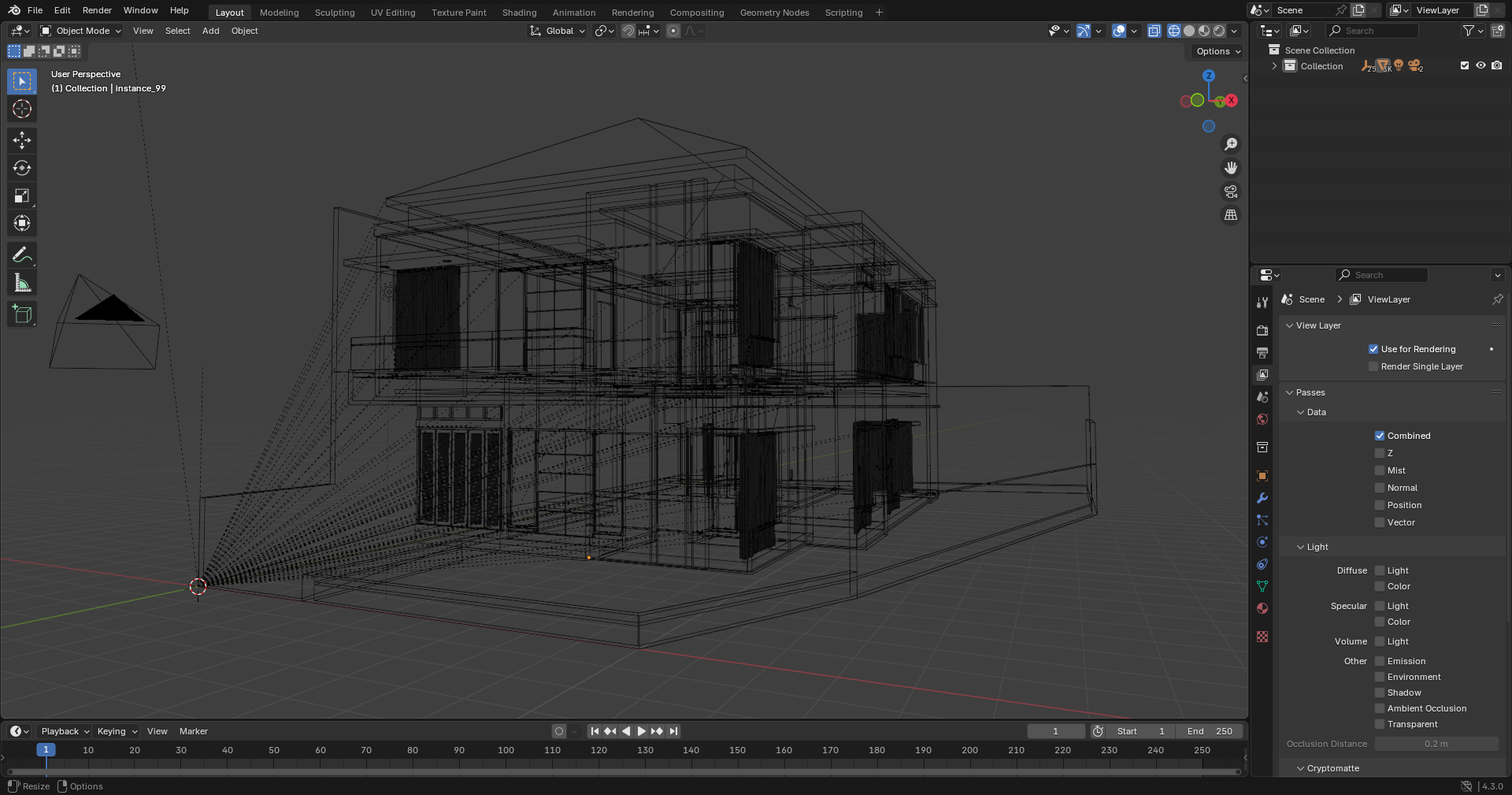
For precise 2D drafting, QCAD provides a clean and efficient workspace. It is useful for early layout studies, plans, and diagrams where clear lines matter more than complex parametrics.
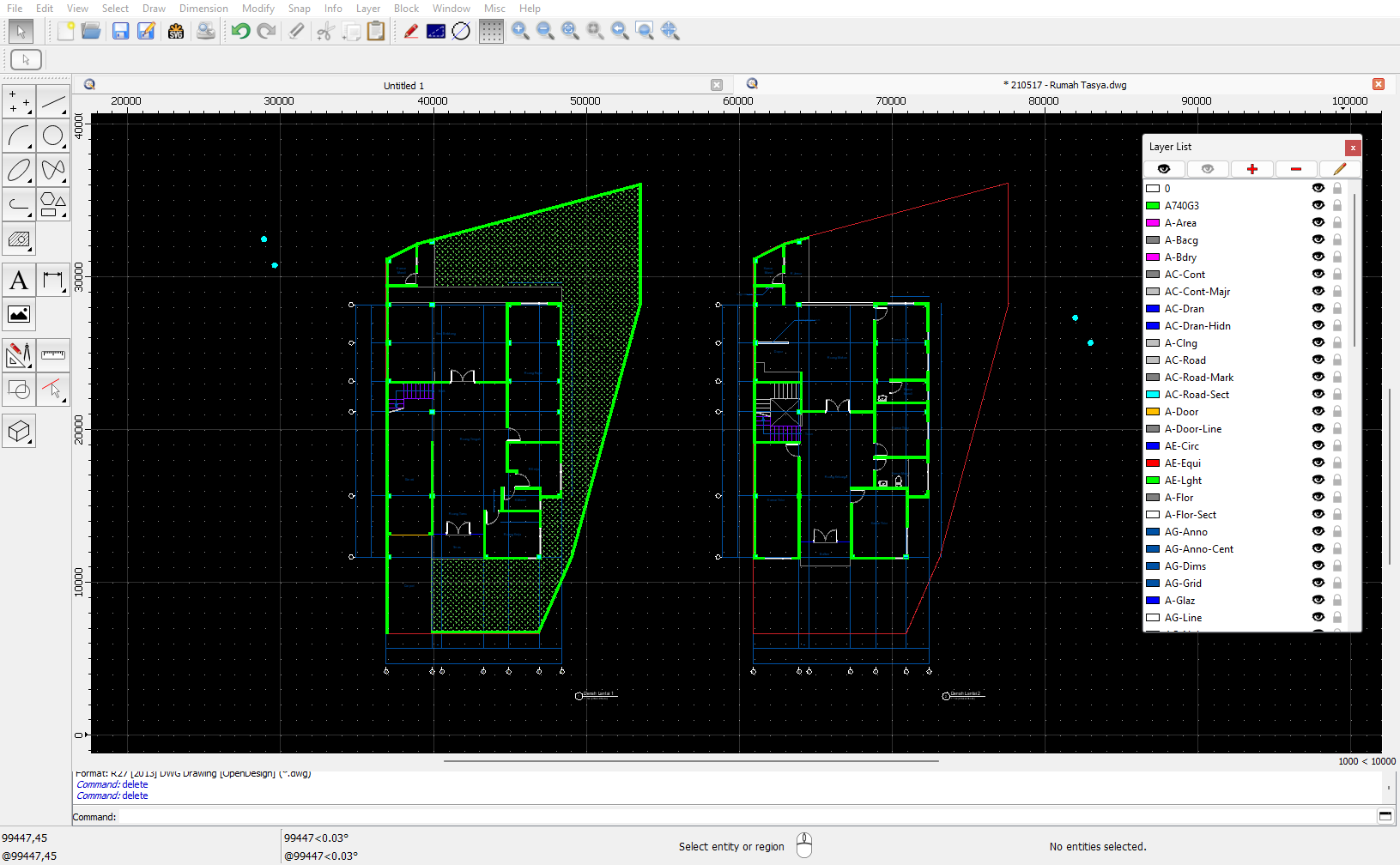
These tools help you move from form to image — and from image to motion — using an entirely open work-flow in the open source ecosystem.
Parametric and Algorithmic Design
Parametric design lets you build geometry through rules and relationships — making form more flexible and responsive. While visual tools like Grasshopper aren’t natively available on Linux, Blender offers a few promising options.
The Geometry Nodes system in Blender supports procedural modelling based on attributes, modifiers, and data flows. For a more Grasshopper-like experience, the Sverchok add-on brings node-based parametric design into Blender — allowing you to create complex structures with visual logic. You can learn more about Sverchok at https://nortikin.github.io/sverchok/
If you prefer scripting, Blender’s built-in Python API gives you full control for custom modelling and automation. While the ecosystem is still evolving, these tools offer a solid foundation for algorithmic thinking in open work-flows.
Building Information Modelling (BIM)
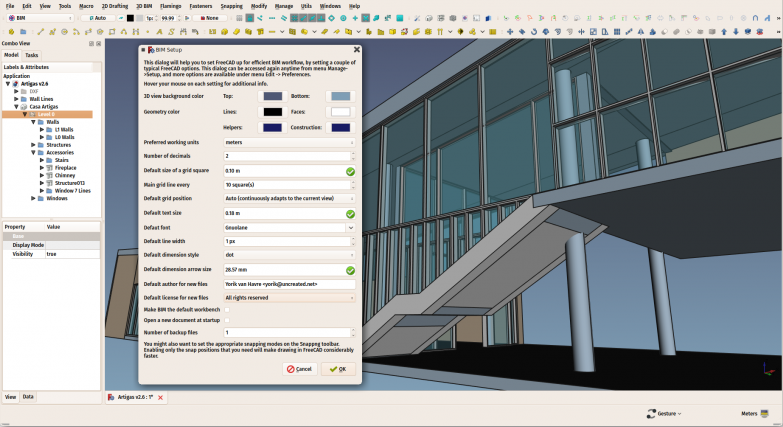
If you work with BIM, Fedora supports open source tools that follow open standards like IFC. FreeCAD includes an Arch workbench designed for architectural model modelling, with objects like walls, windows, and sections that carry semantic data. It also supports parametric editing and IFC export, making it suitable for early-stage modelling and coordination. You can learn more about FreeCAD BIM Workbench at https://wiki.freecad.org/BIM_Workbench/.
Bonsai, an add-on for Blender, brings IFC-based modelling and data editing into a powerful 3D environment. You can create, inspect, and modify BIM models directly in Blender, with full control over geometry and metadata — without relying on proprietary formats. You can learn more about Bonsai at https://bonsaibim.org/.
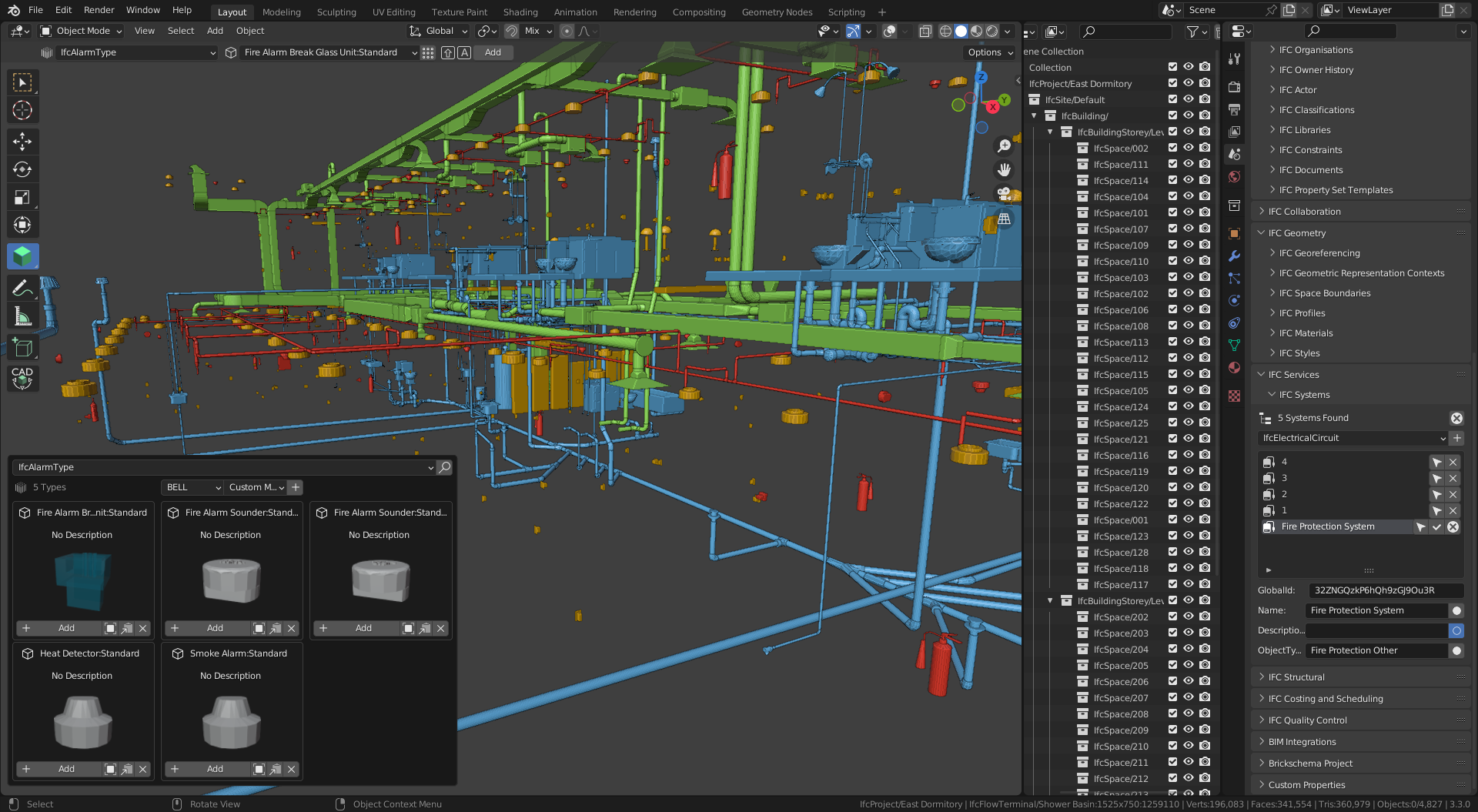
While open source BIM is still evolving, these tools already offer meaningful work-flows for concept modelling, coordination, and documentation — all while staying aligned with open data standards.
Graphic and Document Production
Architectural work involves more than modelling — it also requires clear visuals and well-structured documents. On Fedora, tools like Inkscape and GIMP help you produce diagrams, edit renderings, or refine presentation materials with full control over layout and image quality.
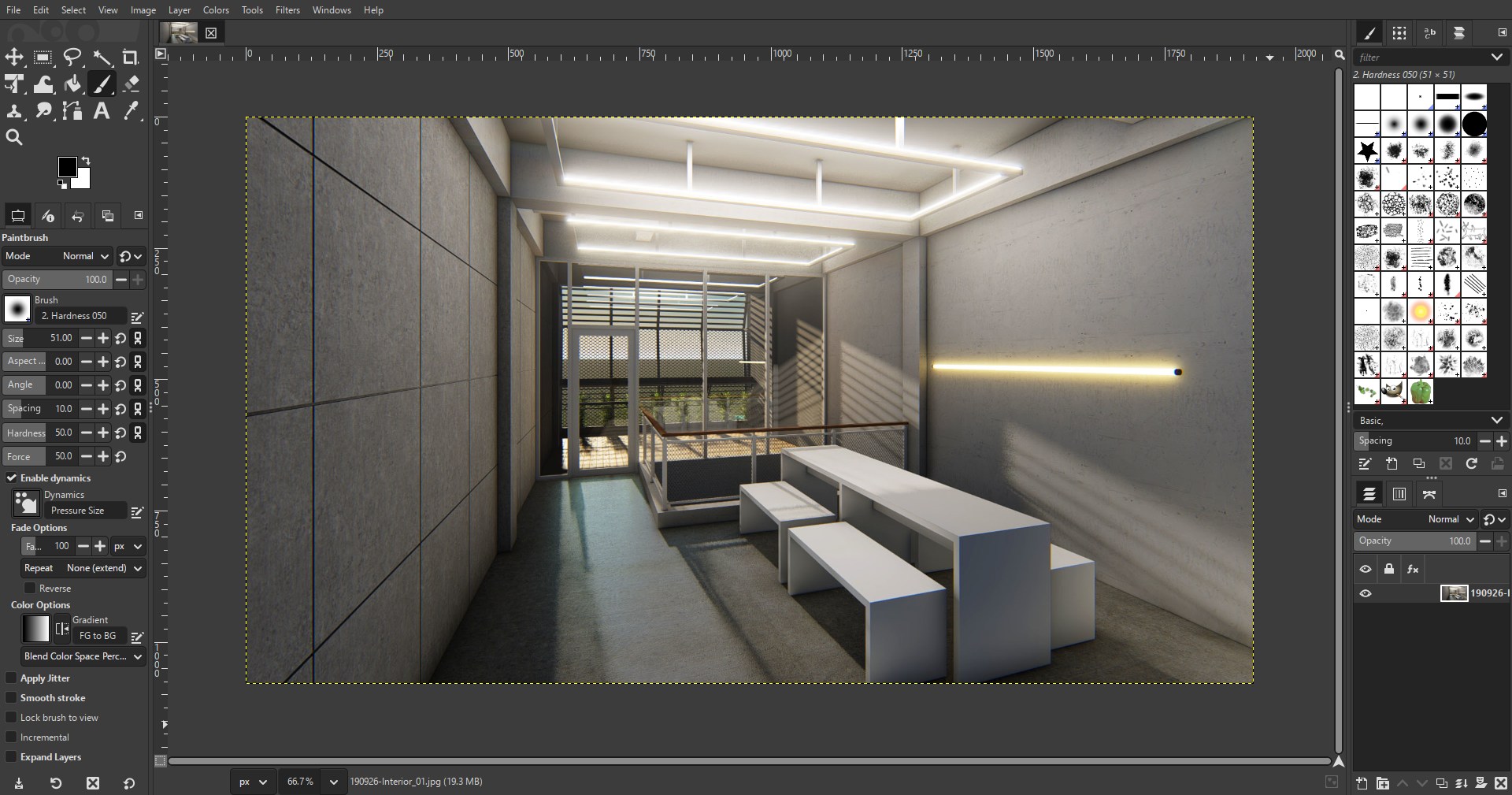
For documentation, LibreOffice offers a reliable suite for writing specifications, reports, and schedules. If you prefer more control over formatting, LaTeX gives you a structured way to produce professional documents — especially when precision and consistency matter.
These tools help you communicate ideas clearly, whether for clients, collaborators, or construction teams.
Fedora Tips for Architects
Flatpak vs DNF
Many design tools are available through both Flatpak and DNF. Use Flatpak when you want easy access to the latest versions and isolated environments (e.g., graphics software), and DNF when you prefer tighter system integration and package control.
Pen Tablet Setup
Fedora detects most pen tablets automatically. You can configure pressure sensitivity, button mapping, and input area through GNOME Settings > Devices > Stylus, or use CLI tools like xsetwacom or libinput for advanced tweaks.
Fonts and Typography
Fedora provides a wide selection of high-quality free fonts through its repositories. You can install additional font packages using dnf, or manually place fonts in ~/.fonts/ for user-level use — useful when working on design boards or documents.
Version Control with Git
Even for design files, Git can help track changes and back up your work. Use it for versioning .blend, .svg, .fcstd, or even LaTeX files. For larger binaries, consider using Git LFS or structured folder snapshots.
Conclusion
Architecture is about more than form, it’s about intent, structure, and the systems that support them. The same applies to the tools we use. Choosing open source is not just about avoiding cost; it’s a decision to work with transparency, adaptability, and long-term agency.
Fedora offers a platform where design and freedom coexist, where architects can shape their tools as much as they shape space. It may not have every convenience out of the box, but it gives us something more enduring: control over our work-flow, and a community-driven path forward.
Designing openly is not always the easiest path, but it may be the most honest one.


honeymak
any recommendation for remote desktop? thx
Hannes Campidell
GNOME already has integrated VNC and RDP servers you just have to enable them in the settings under system.
And for the client you can use GNOME Connections or Field monitor
fpsvideoprod42
From https://github.com/LizardByte/Sunshine :
Some sunshine server clients support encryption.
GPU Screen Recorder supports hardware encoding for livestreaming and screencasts of GPU-heavy gaming workloads: https://github.com/flathub/com.dec05eba.gpu_screen_recorder
OBS: Open Broadcasting Studio supports hardware encoding for livestreaming and screencast recording. OBS supports multitrack video/audio and adding a watermark and other composited layers.
“How to Install OBS Studio on Fedora 40 or 39” has how to dnf install obs-studio or flatpak install com.obsproject.Studio
Radius
Im using GotoHTTP.
Simple, easy, no delay, fair prices.
Karlis K.
I prefer RustDesk
https://github.com/rustdesk/rustdesk
Nicolas
The IFC Architect’s Youtube page is a good illustration of how far BIM as come on Linux.
https://www.youtube.com/channel/UCnl3Zvy78lNfGIYLBxAu5-g
It’s been 10 years since I’ve left architecture, so my comment might not be completely relevant, but from what I gathered, BIM on linux still lacks from a good interactive 3D/2D authoring plateforme.
Blender+Bonsai BIM and FreeCAD have come a loooong way, but they still are nowhere near the power and ease of use of ARCHICAD, 40 years in the making, where 3D and 2D are tightly integrated and interactive.
But still, I reckon BIM is moving forward on Linux.
Cosus
Why Fedora?
I use Endeavour OS and I can install the applications you mentioned and others, such as:
FreeCad
Sweet Home 3D ….
Max
Perhaps the answer to “Why Fedora?’ is “…because this was written as an article in the Fedora Magazine.”
Maxim
There is nothing as good as archicad, unfortunately they are really bad in marketing. Sometimes even my clients are asking if I work in BIM and I’m tired explaining that BIM is not about revit only. I would love them to come to linux.
littlephoenix85
The problem with dedicated distributions is the limitations of the default preinstalled programs. The development teams of these programs should actively collaborate with the relevant university departments to make them more user-friendly.
Leo
What do you mean by Fedora? The post describes Linux in general.
Bryce
You’re right. All the software mentioned in this article are available across the Linux ecosystem. The motivation for the magazine article is the driving of interest, as well as SEO so which helps with marketing.
Finally, these software should all be available in the default repositories (RPM or Flatpak) unless otherwise stated.
John
Excellent article!!!
As an architect, a Mac user for 30 years, using “professional” architectural software like VectorWorks and Archicad, among others, and a Fedora fan, I always wondered who would be the first to talk about a free system for use in more mundane settings. I wanted to ask if you recommend this configuration only for Workstation or if it would work on SilverBlue?
Karlis K.
Flatpaks are the preferred application distribution method for installing additional apps on SilverBlue. Most (if not all) apps described in the article have releases available on flathub.
westurner
build123d and cadquery are Python libraries that wrap OCCT (Open Cascade). OCCT is an open source CAD library with support for CAD standards like STEP, STL, AMF, 3MF, and NURBS.
PartCAD is a standard for CAD. partcad-cqwarehouse is sort of like BIM: https://github.com/partcad/partcad-cqwarehouse
westurner/workboard includes a
and a
that builds a rootless container with
from
and installs vscode extensions like
and
and
which renders build123d and/or cadquery models written in Python in a vscode tab.
CAD Metadata; CAD Linked Data for open source reusability:
IFC: Industry Foundation Classes (IFC) [ Autodesk, ]
Open Class 3D Exchange (OCX)
axes layout and origin
Matt
Have a look at sysIDE to model in sysml v2.